Editing in Studio
Open a session in Studio to arrange tracks, trim sections, and fine-tune transitions like a DAW.
3 min read. Updated June 25, 2026
Studio is StemFM’s built-in editor — a DAW-style workspace where you take a session further: arrange tracks on a timeline, trim each one to the part you want, and shape how they blend together.
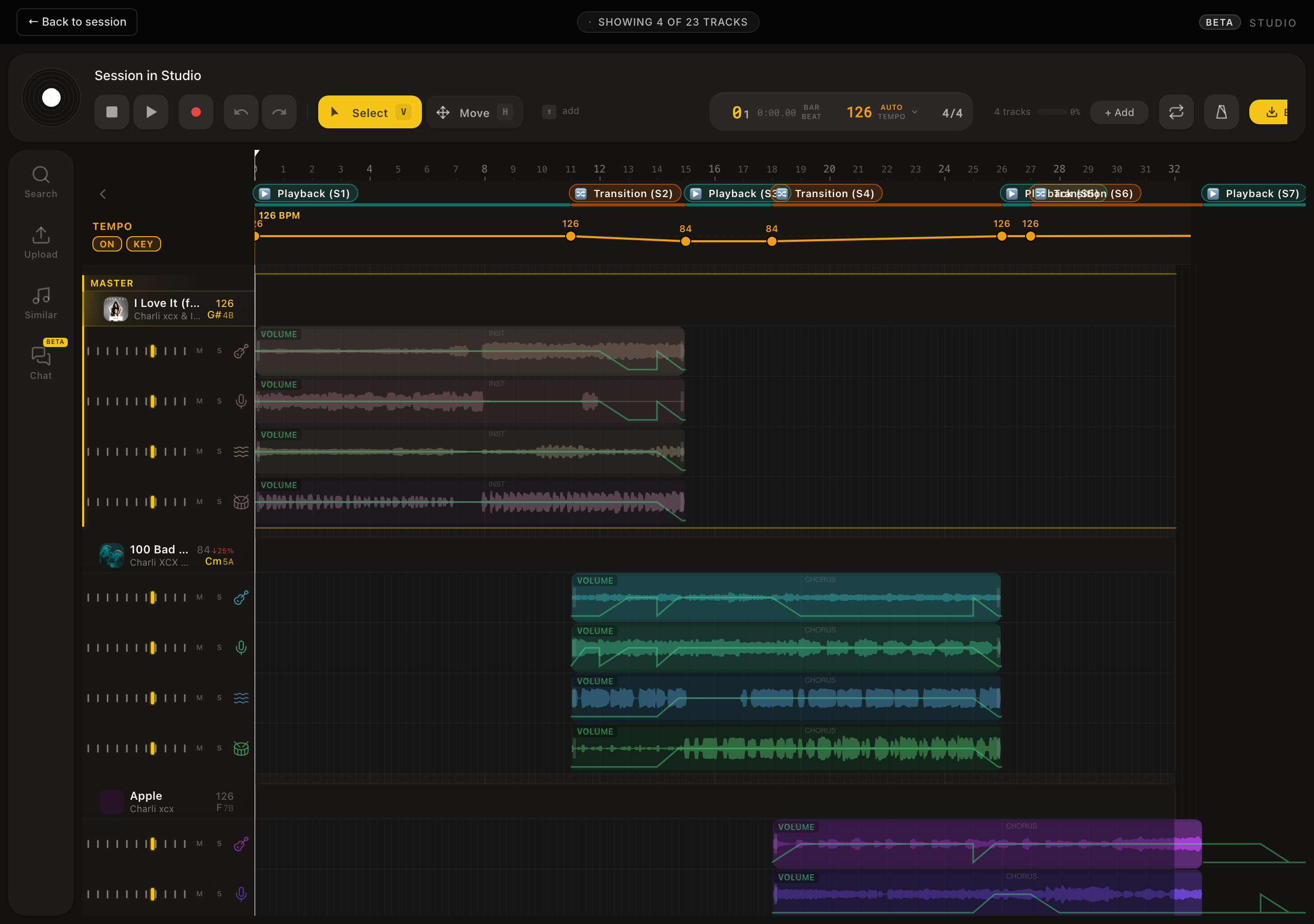
Open Studio
- 1
Open a session
Build or open the session you want to edit.
- 2
Choose Edit in Studio
Use the Edit in Studio control in the session header.
- 3
Wait for it to load
Your tracks load onto the Studio timeline, ready to arrange.
What you can do
- Arrange tracks along a timeline to set the running order.
- Trim each track down to the section you actually want.
- Adjust how long tracks overlap to control the transition between them.
- Keep full stem control on every track as you edit.