Using the AI DJ
Talk to your mix in plain language — speed it up, mute stems, loop a section, or change modes.
3 min read. Updated June 25, 2026
The AI DJ lets you control playback with natural language. Instead of hunting for buttons, you type what you want — “mute the vocals”, “loop 4 bars”, “speed up” — and StemFM does it in real time.
Where to find it
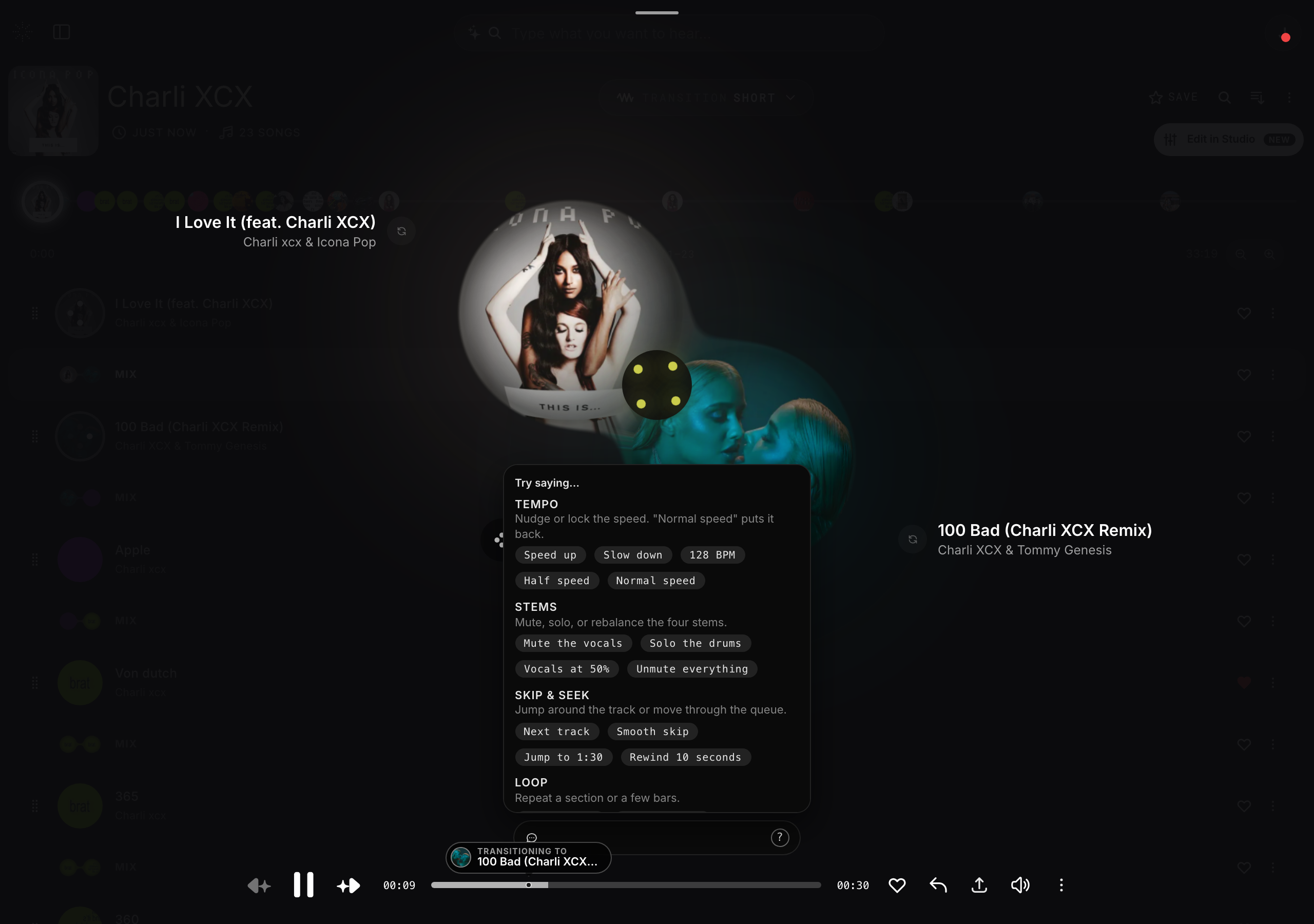
During a session, open the DJ command pill and type a command. The pill shows rotating example hints when it is empty, and a “?” button opens a help popup grouped by what each command does.
What you can say
- Tempo — “Speed up”, “Slow down”, “128 BPM”, “Half speed”, “Normal speed”.
- Stems — “Mute the vocals”, “Solo the drums”, “Vocals at 50%”, “Unmute everything”.
- Skip & seek — “Next track”, “Smooth skip”, “Jump to 1:30”, “Rewind 10 seconds”.
- Loop — “Loop 4 bars”, “Stop looping”.
- Modes — “Switch to mix”, “Switch to DJ”, “Switch to infinite”, “Switch to classic”.